Software apps and online services | ||||||
![]() |
| |||||
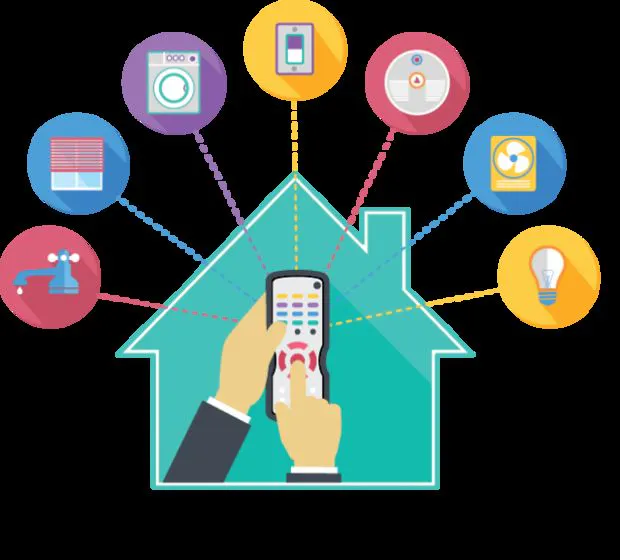
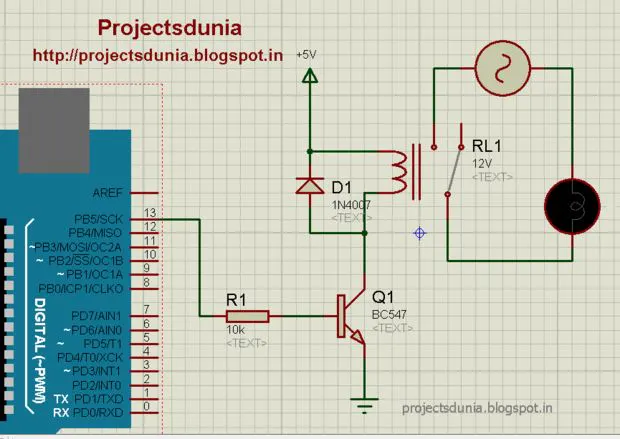
i gonna show you with this my story how to control your home appliances using any ir(infrared) remort and just follow my steps and do it your self within 1 day..if you want to convert your home to smart home must be read this..
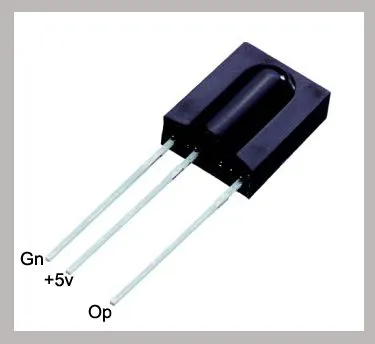
Connect of TSOP 1738 to Arduino
Connect tsop1738 ground to arduino ground ,+5v to arduino +5v ,output to arduino 0 number in (RX)
Downlod IR Decord.ino File From Here
IR DECORD.INO
Use arduino ide softwere open ir decorc.ino and upload to bord
if you have any error like (C:\Program Files (x86)\Arduino\libraries\RobotIRremote\src\IRremoteTools.cpp:5: error: 'TKD2' was not declared in this scope) so downlod ir Library from here http://sh.st/J8DWM and extrect and past to C:\Program Files\Arduino\libraries
after problem not solve downlod this libraries http://sh.st/J8Gf5 and past on same path
Use arduino ide softwere open ir decorc.ino and upload to bord
if you have any error like (C:\Program Files (x86)\Arduino\libraries\RobotIRremote\src\IRremoteTools.cpp:5: error: 'TKD2' was not declared in this scope) so downlod ir Library from here http://sh.st/J8DWM and extrect and past to C:\Program Files\Arduino\libraries
after problem not solve downlod this libraries http://sh.st/J8Gf5 and past on same path

Open Seriel Moniter(ctrl+shift+M)
press button from remort and note down received code
like 16220287
16187647
16244767
16195807
16228447
Note down same code recived from pressing one button

like 16220287
16187647
16244767
16195807
16228447
Note down same code recived from pressing one button

Download Final Home Automation.ino
home automation.ino
Downlod code and upload to bord change define code to your remort code
#include <IRremote.h>
int IRpin = 0;
IRrecv irrecv(IRpin);
decode_results results;
void setup()
{
Serial.begin(9600);
irrecv.enableIRIn(); // Start the receiver
}
void loop()
{
if (irrecv.decode(&results))
{
Serial.println(results.value, DEC); // Print the Serial 'results.value'
irrecv.resume(); // Receive the next value
}
}
home automaton.ino
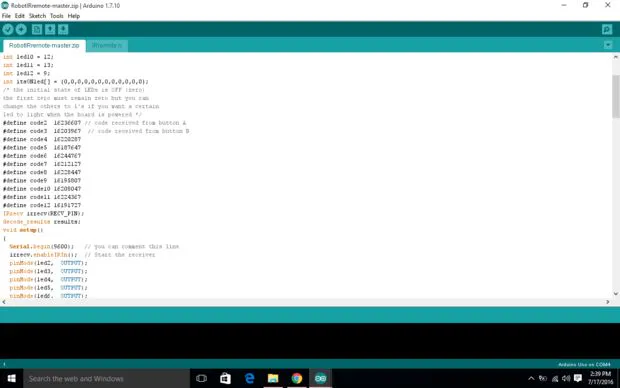
C/C++Final code of home automation and change the " #define code" in this program to your remort codes thanks for reading my story
#include <IRremote.h>
int RECV_PIN = 0; // the pin where you connect the output pin of TSOP4838
int led2 = 2;
int led3 = 3;
int led4 = 4;
int led5 = 5;
int led6 = 6;
int led7 = 7;
int led8 = 8;
int led9 = 9;
int led10 = 10;
int led11 = 11;
int led12 = 12;
int itsONled[] = {0,0,0,0,0,0,0,0,0,0,0,0};
/* the initial state of LEDs is OFF (zero)
the first zero must remain zero but you can
change the others to 1's if you want a certain
led to light when the board is powered */
#define code2 16236607 // code received from button A
#define code3 16203967 // code received from button B
#define code4 16220287
#define code5 16187647
#define code6 16244767
#define code7 16212127
#define code8 16228447
#define code9 16195807
#define code10 16208047
#define code11 16224367
#define code12 16191727
IRrecv irrecv(RECV_PIN);
decode_results results;
void setup()
{
Serial.begin(9600); // you can comment this line
irrecv.enableIRIn(); // Start the receiver
pinMode(led2, OUTPUT);
pinMode(led3, OUTPUT);
pinMode(led4, OUTPUT);
pinMode(led5, OUTPUT);
pinMode(led6, OUTPUT);
pinMode(led7, OUTPUT);
pinMode(led8, OUTPUT);
pinMode(led9, OUTPUT);
pinMode(led10, OUTPUT);
pinMode(led11, OUTPUT);
pinMode(led12, OUTPUT);
}
void loop() {
if (irrecv.decode(&results)) {
unsigned int value = results.value;
switch(value) {
case code2:
if(itsONled[2] == 1) {
digitalWrite(led2, LOW);
itsONled[2] = 0;
} else {
digitalWrite(led2, HIGH);
itsONled[2] = 1;
}
break;
case code3:
if(itsONled[3] == 1) {
digitalWrite(led3, LOW);
itsONled[3] = 0;
} else {
digitalWrite(led3, HIGH);
itsONled[3] = 1;
}
break;
case code4:
if(itsONled[4] == 1) {
digitalWrite(led4, LOW);
itsONled[4] = 0;
} else {
digitalWrite(led4, HIGH);
itsONled[4] = 1;
}
break;
case code5:
if(itsONled[5] == 1) {
digitalWrite(led5, LOW);
itsONled[5] = 0;
} else {
digitalWrite(led5, HIGH);
itsONled[5] = 1;
}
break;
case code6:
if(itsONled[6] == 1) {
digitalWrite(led6, LOW);
itsONled[6] = 0;
} else {
digitalWrite(led6, HIGH);
itsONled[6] = 1;
}
break;
case code7:
if(itsONled[7] == 1) {
digitalWrite(led7, LOW);
itsONled[7] = 0;
} else {
digitalWrite(led7, HIGH);
itsONled[7] = 1;
}
break;
case code8:
if(itsONled[8] == 1) {
digitalWrite(led8, LOW);
itsONled[8] = 0;
} else {
digitalWrite(led8, HIGH);
itsONled[8] = 1;
}
break;
case code9:
if(itsONled[9] == 1) {
digitalWrite(led9, LOW);
itsONled[9] = 0;
} else {
digitalWrite(led9, HIGH);
itsONled[9] = 1;
}
break;
case code10:
if(itsONled[10] == 1) {
digitalWrite(led10, LOW);
itsONled[10] = 0;
} else {
digitalWrite(led10, HIGH);
itsONled[10] = 1;
}
break;
case code11:
if(itsONled[11] == 1) {
digitalWrite(led11, LOW);
itsONled[11] = 0;
} else {
digitalWrite(led11, HIGH);
itsONled[11] = 1;
}
break;
case code12:
if(itsONled[12] == 1) {
digitalWrite(led12, LOW);
itsONled[12] = 0;
} else {
digitalWrite(led12, HIGH);
itsONled[12] = 1;
}
break;
}
Serial.println(value);
irrecv.resume(); // Receive the next value
}
}


Comments