


Hardware components | ||||||
 |
| × | 1 | |||
| × | 1 | ||||
Software apps and online services | ||||||
 |
| |||||
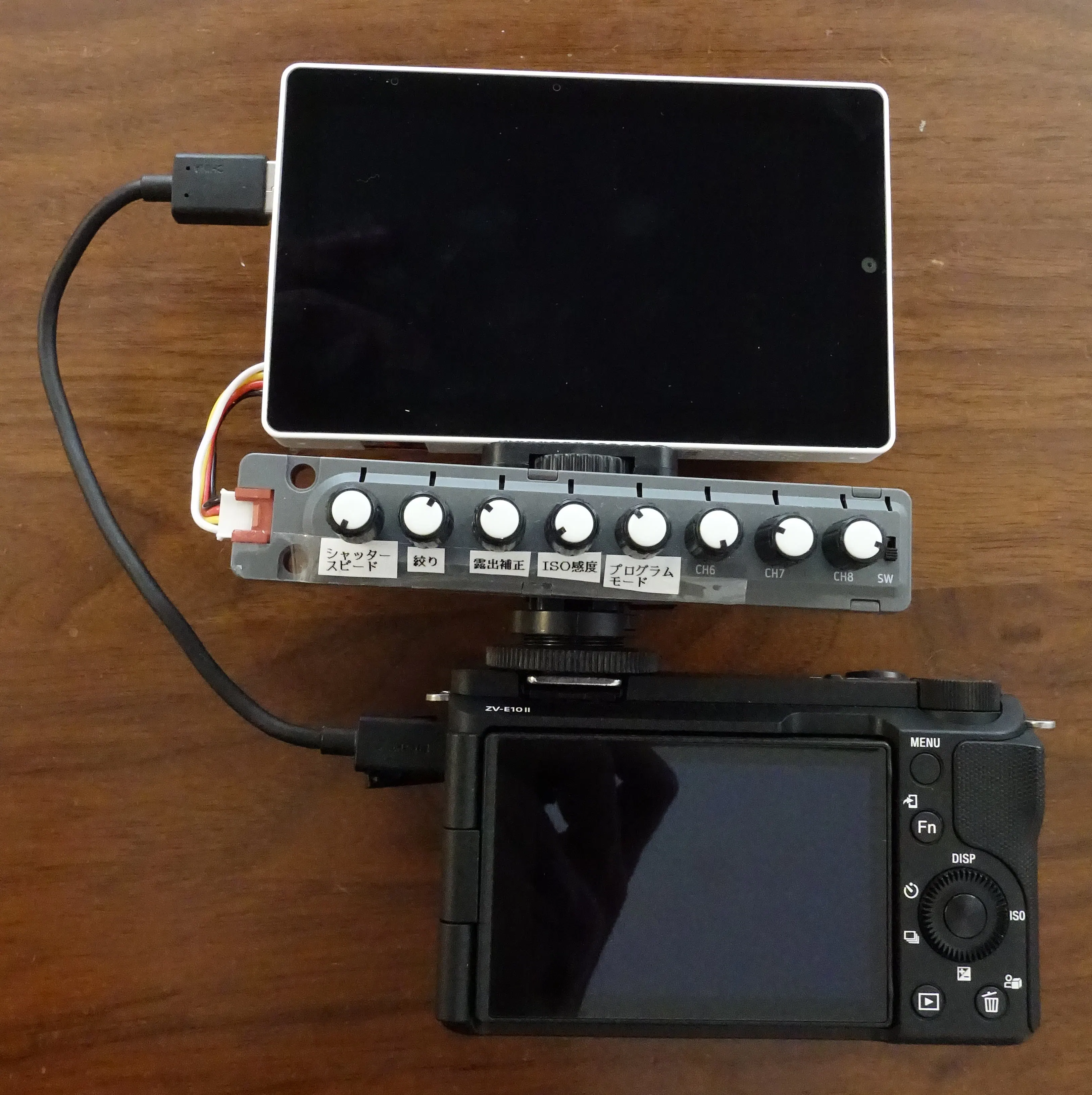
An external monitor and controller for SLR cameras using Tab5. Connect the USB-A of Tab5 to the USB-C of Sony's Alfa-SLR-camera.
Parts- Sony Alfa-SLR-Camera
ILCE-1~,
ILCE-9M2~,
ILCE-7M4, ILCE-7RM4~, ILCE-7SM3,
ILCE-7C~, ILCE-7CR,
ILCE-6700,
ILME-FX2, ILME-FX3~, ILME-FX30,
ZV-E1, ZV-E10M2 - M5Stack Tab5 KIT (Battery included)
- M5Stack Unit 8Encoder
- 1/4" Camera Hot shoe adapter
- USB A-C cable
This firmware uses Sony's Camera Remote Toolkit. After you use this firmware, your camera will be out of such manufacturer-warranty as specified by Sony.
License agreement of Camera Remote Toolkit
REQUIREMENTS AND LIMITATIONSSetup instruction
Please also note that you shall:
(a) explain to and obtain a consent from the END-USERS, before licensing the END-USERS to copy or use the APPLICATION SOFTWARE, that once a DEVICE is used or controlled through the APPLICATION SOFTWARE, the DEVICE will be out of such manufacturer-warranty as separately specified by SONY with respect to the DEVICE;
1. Burn a firmware "Tab5 for Alfa-SLR-camera" on M5Burner.
2. Setup SLR-camera with body menu
[Setup]-[USB connection mode]-[PC remote]
[Setup]-[USB Power Supply]-[Off]
[Network]-[Cont./PC Remote]-[Remote Shoot Setting]-[Still Img. Save Dest.]-[Camera Only]
4. Connect "Unit 8Encoder" to Tab5, then connect Tab5 to camera.
5. Turn on the power of Tab5. Check whether liveview of camera is displayed on Tab5.
6. Control camera setting with 8Encoder unit.


Comments